TradingView Remix is a browser side-panel AI that controls your TradingView charts through natural language — analyze symbols, add indicators, draw support/resistance zones, generate Pine Script, manage alerts. This guide covers everything a new user needs to set it up and use it well in 2026, including the new weekly usage model that scales with your TradingView plan (most existing guides still describe the old “15 per day” beta limit).
💡 Remix Complete Guide: Key Takeaways
- Weekly Usage Model: The old “15 daily requests” limit has been replaced. Usage now scales dynamically with your TradingView subscription tier on a weekly reset cycle.
- Essential Plan Barrier: The highly desired Pine Script generation and auto-application feature is strictly blocked on the Free tier. Essential or higher is required.
- Sweet Spot: Benchmarks show Plus (Custom ~65/wk) or Premium (Custom ~165/wk) plans are the best fit for active traders, making AI request caps practically unnoticeable.
If you only have two minutes: install from the Chrome Web Store, sign in with Google, open Preferences and set Language explicitly, and start with structured prompts rather than open-ended ones. The rest of this guide explains why, and what to do as you go deeper.
For specific deep dives, two companion articles cover the math in detail: Weekly Limits, Tested by Plan explains the usage model with a real Premium test, and Master Prompt vs Split Questions covers prompt structure and session context reuse.
This article contains affiliate links to TradingView plans. We may earn commission on plan purchases at no extra cost to you. All test data referenced here is genuine and unaffected by affiliate arrangements.
Why This Guide Exists
Search for TradingView Remix guides in early 2026 and most results still say “15 AI requests per day, resets at midnight UTC.” That was the original beta limit when the extension launched on April 2, 2026. The model has since changed — as observed in v0.15.10 (the mid-May 2026 Chrome Web Store listing), usage now scales with your TradingView plan, and the Pine Script authoring feature became plan-gated. The exact version when the change rolled out isn’t documented publicly.
This guide is current as of v0.15.10 (mid-May 2026). Every fact below was verified against the official Chrome Web Store listing, the developer’s site at tvremix.xyz, and our own real-session tests on Premium.
What Remix Actually Is
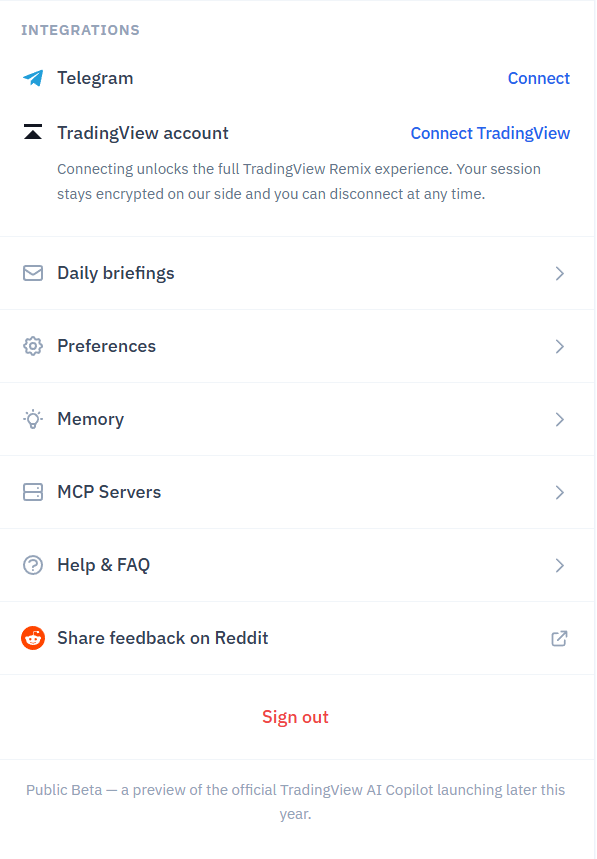
Remix is officially called TradingView Remix: AI Chart Copilot. It’s a Chrome browser extension developed by a third party (tvremix.xyz) and promoted on the official TradingView blog. The settings panel labels the current product as “Public Beta — a preview of the official TradingView AI Copilot launching later this year”, so native TradingView integration is on the roadmap.
The extension reads your chart’s current state in real time — active symbol, timeframe, applied indicators, visible price range — and responds to natural-language requests. It can also act on the chart: switch symbols, add or remove indicators, draw support/resistance zones, set alerts, generate Pine Script, and call external MCP servers.
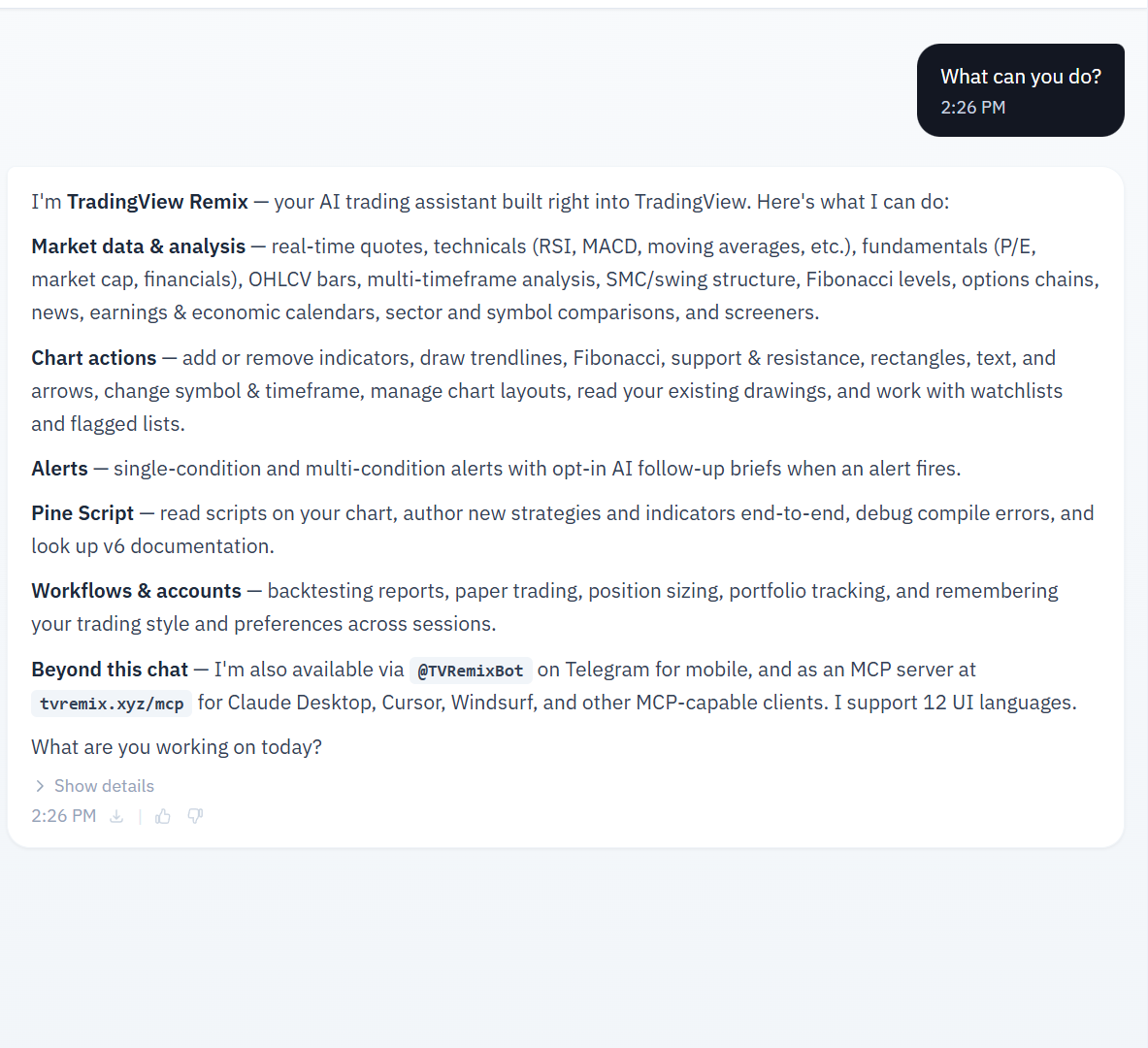
It works in any Chromium-based browser (Chrome, Edge, Brave, Opera, Vivaldi) but not Firefox or Safari.
Installation
Search “TradingView Remix” in the Chrome Web Store, or use the link from tvremix.xyz. Click Add to Chrome and confirm. Pin the extension to your toolbar so the side-panel icon is one click away.
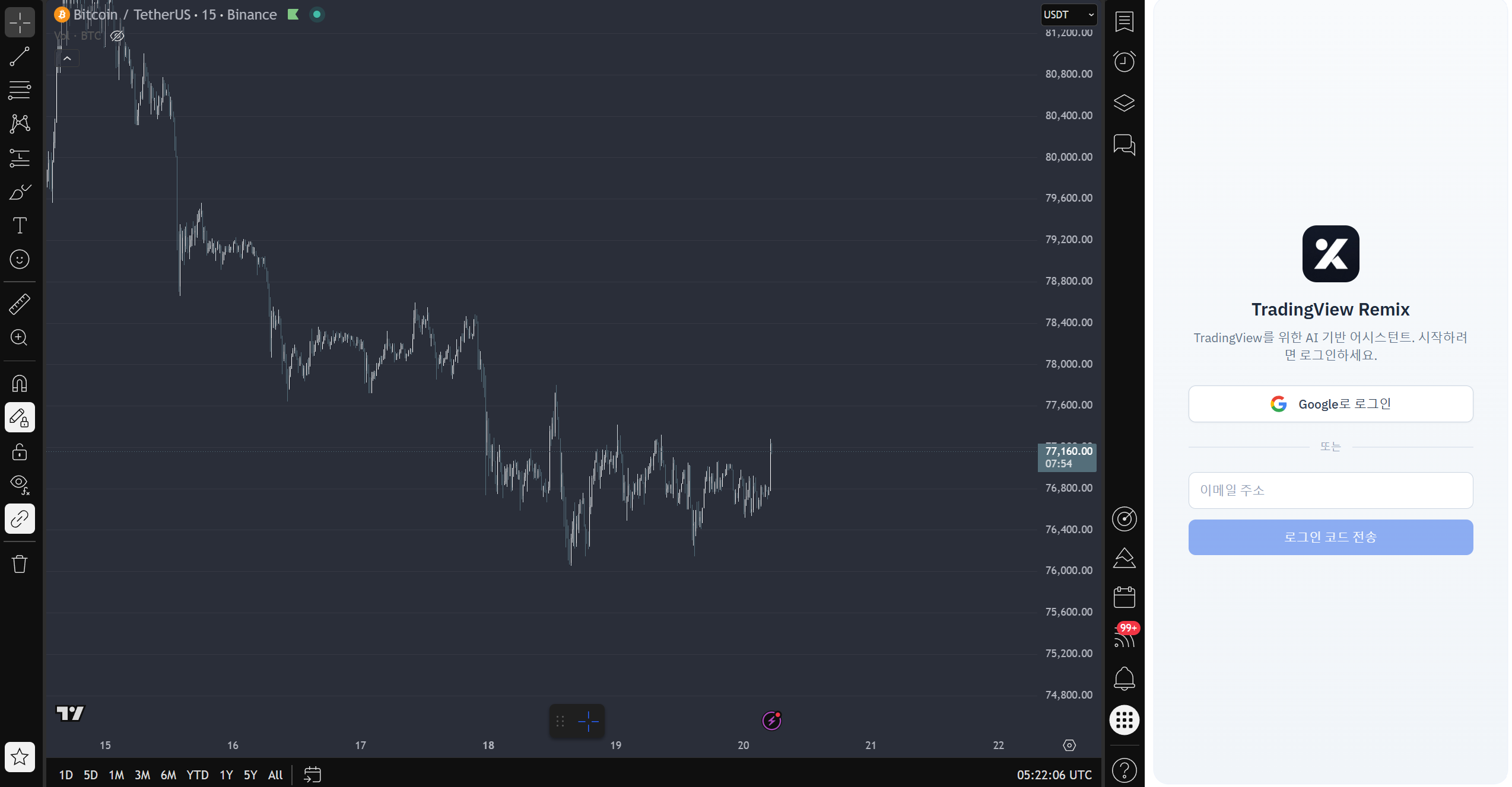 Chart by TradingView
Open any TradingView chart, click the Remix icon, and sign in with Google. There’s no separate account to create. No credit card during the public beta.
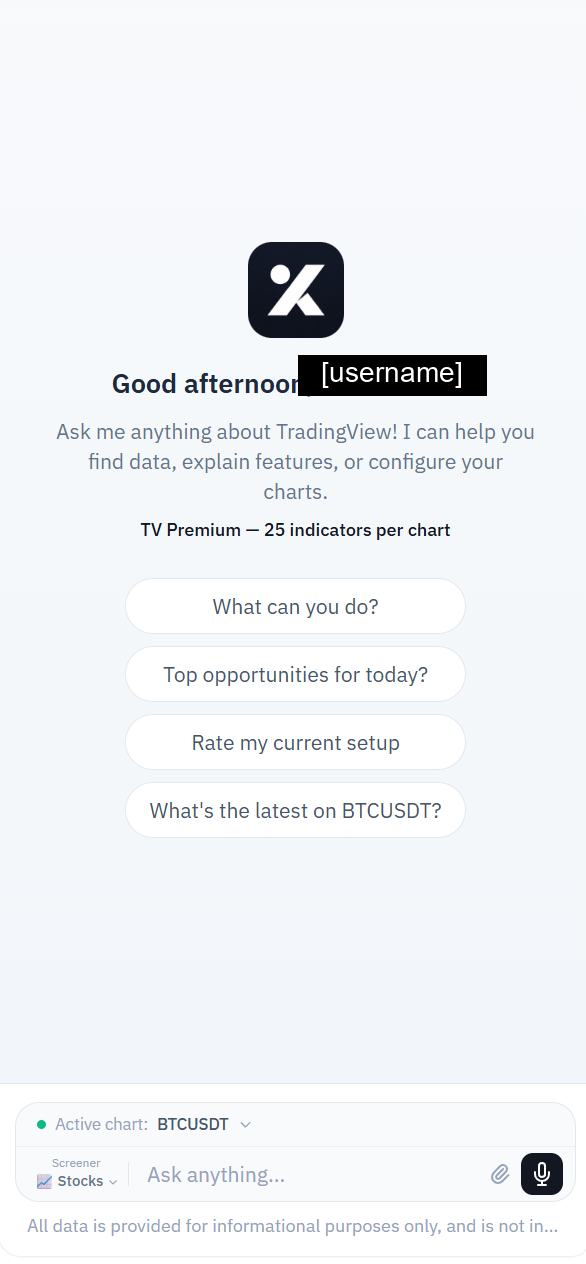
First Setup: Two Settings That Actually Matter
Open Remix’s Preferences via the gear icon. Two settings deserve attention before you do anything else.
Language
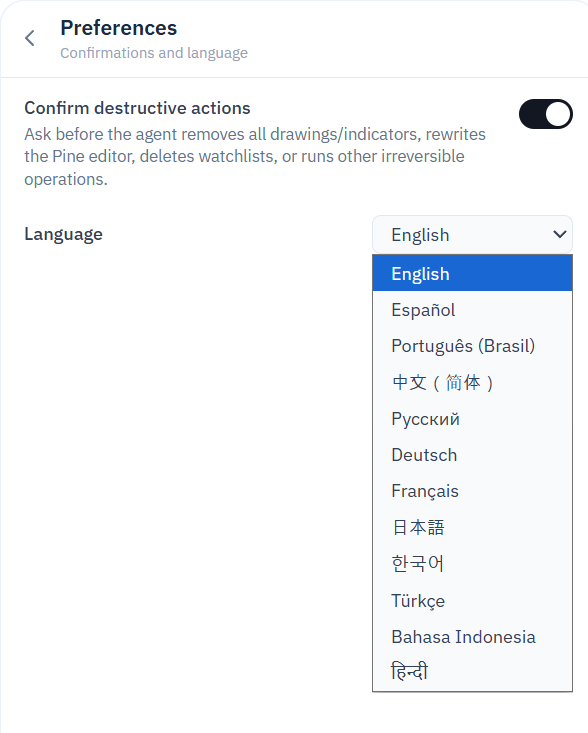
Remix has its own Language setting that overrides prompt language and TradingView UI language. If you prompt in English but Language is set to Korean, the response comes back in Korean. This catches almost every new user.
Set Language explicitly to your preferred response language. Do this once, and forget it. It’s the single most consequential setting.
Twelve UI languages are supported (English, Spanish, Portuguese, Chinese, Russian, German, French, Japanese, Korean, Turkish, Indonesian, Hindi).
Confirm Destructive Actions
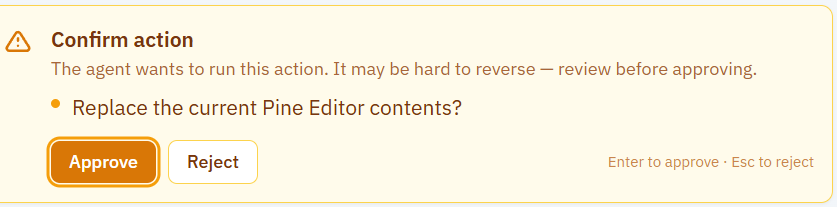
Toggle is on by default. The Preferences description reads: “Ask before the agent removes all drawings/indicators, rewrites the Pine editor, deletes watchlists, or runs other irreversible operations.”
Leave it on unless you have a very specific reason to disable. One accidental Pine Editor wipe costs more time than every confirmation dialog combined.
Plan Capabilities Matrix
Remix usage and features scale with your TradingView subscription. The base unit is the Essential plan (1×); all others scale proportionally. Pine Script authoring is the single most consequential feature gate.
MCP, Telegram, and Memory are described in the official feature list without plan gating, but Free-account verification is pending.
| Plan | Multiplier | Est. Weekly Requests* | Pine Script Authoring | MCP Servers | Telegram Bot | Memory |
|---|---|---|---|---|---|---|
| Free | 0.25× | ~8 | ❌ Blocked | ✅ | ✅ | ✅ |
| Essential | 1× | ~33 | ✅ | ✅ | ✅ | ✅ |
| Plus | 2× | ~65 | ✅ | ✅ | ✅ | ✅ |
| Premium ⭐ | 5× | ~165 | ✅ | ✅ | ✅ | ✅ |
| Ultimate | 20× | ~660 | ✅ | ✅ | ✅ | ✅ |
| Insiders | Unlimited | — | ✅ | ✅ | ✅ | ✅ |
* Estimates based on a real Premium test where 5 diverse requests (including SMC analysis and Pine Script generation) consumed 3%. Full breakdown in the Weekly Limits article.
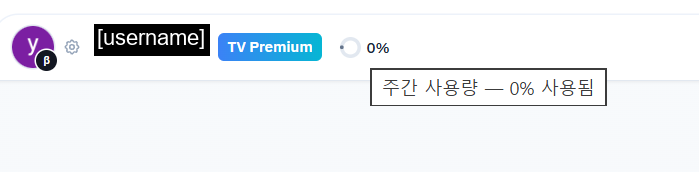
The pie indicator in the side-panel header shows current week’s usage. Click it for the tier table and an upgrade link.
For Free users specifically: the Pine Script block is the deal-breaker. Free works fine if you only need to read and analyze existing scripts. Authoring or modifying Pine Script requires Essential or higher.
[Affiliate placeholder: Choose a TradingView plan]
Core Capabilities
Chart Analysis
Ask about any symbol and Remix synthesizes real-time data into structured analysis — quotes, fundamentals (P/E, EPS, margins for stocks; on-chain metrics for crypto), technical ratings (RSI, MACD, MA crossovers), earnings calendars, news headlines. Multi-timeframe context is automatic: a 15m prompt may pull 4H and 1D context without being asked.
Example prompt: “Analyze BTCUSDT 15-minute for trend, momentum, and volume, then provide scenarios for the next 24 hours.” This is a heavy request (~15 tools in our test) but produces a complete tactical breakdown including entry zones, stops, R:R targets, and counter-scenarios.
Chart Automation
Tell Remix what to do and it executes: switch symbols, change timeframes, add or remove indicators, set up multi-chart layouts, draw support/resistance, draw Fibonacci retracements, overlay comparisons. The chart updates instantly with Study IDs returned in the chat.
A subtle behavior: requests often expand slightly beyond minimal execution. Asking to add RSI may automatically include an RSI-based moving average overlay. This is usually helpful but worth knowing.
Pine Script (Essential+ only)
Generates working Pine Script v6 code, asks for confirmation via dialog, applies to the Pine Editor, and overlays the indicator on the chart with built-in alertcondition() hooks.
Quality is reasonable for straightforward indicators (EMA crosses, basic oscillators) but one independent review (TradersPost) noted edge cases with more complex strategies. Always test before applying to live alerts.
Free plan: read and explain existing Pine Script only. Cannot author or modify.
Alerts
Create price alerts with complex conditions, manage them in bulk, and (optionally) receive AI-powered decision briefs to Telegram when they fire. The alert creation workflow uses TradingView’s native alert system, so existing alerts integrate cleanly.
Effective Prompts
The single biggest determinant of usefulness is prompt structure. Three patterns that work:
Direct data lookup — for quick checks. “What’s the current RSI 14 value for ETHUSDT?” Cheap (1 tool) and fast (~5 seconds).
Structured analysis — for setups. “Analyze the [SYMBOL] [TIMEFRAME] chart for trend, momentum, and volume, then provide scenarios for the next 24 hours.” Heavy but produces a complete tactical breakdown.
Master prompt — when you want a polished report. The full template, including chart drawing and webhook output, is in the Prompt Strategy article. One prompt produces analysis + drawings + news context + setup with R:R + webhook JSON — about 19 tools on Premium.
Two prompt anti-patterns to avoid:
“Should I buy this?” — pushes the AI toward prediction and advice. Better: “What does momentum look like right now, and what would be the invalidation level for a long?”
“Tell me everything about this stock” — open-ended and wasteful. Better: a structured prompt with explicit sections (technicals, fundamentals, news, setup).
Common Mistakes That Waste Usage
| Mistake | Why It Costs More | Better Approach |
|---|---|---|
| New session for every question | Cold-start = no context reuse | Stay in one session; follow-ups are cheap |
| Vague open-ended prompts | AI fetches everything to be safe | Specify what you actually want |
| Asking for predictions | Wastes tools on disclaimers | Ask for scenarios and invalidation levels |
| Ignoring the tool-count link | Can’t tell which prompts are expensive | Click “Show details — N tools” to learn the patterns |
Session context reuse is the underappreciated mechanic: within the same session, follow-ups don’t pay full price because Remix already has the data in context. A “scenarios based on the above” question can cost 2 tools instead of 12. Details in the Prompt Strategy article.
When to Upgrade
Most users land on Plus (2×) or Premium (5×). Quick decision tree:
- Free works only if you don’t need Pine Script and only check a few charts per week.
- Essential (1×) unlocks Pine Script and gives ~33 weekly requests. Good for light daily users.
- Plus (2×) is the most users’ sweet spot — ~65 weekly requests covers most active retail workflows.
- Premium (5×) is for AI-heavy users. In our test, 5 diverse requests (including SMC analysis and Pine generation) consumed 3% of Premium’s allowance. Effectively unlimited for normal workflows.
- Ultimate (20×) is only justified if you genuinely hit Premium limits — most people don’t.
The Plus → Premium gap is smaller than the multiplier suggests because session context reuse stretches each percent further. Detailed math in the Weekly Limits article.
Not Covered Yet (Future Updates)
This guide is the entry point. Three capabilities deserve dedicated walkthroughs and aren’t covered in depth here:
- MCP Server Integration — Remix supports external Model Context Protocol servers via OAuth or API key. Connect private APIs, databases, or proprietary analytics and the AI can discover and call those tools. Setup deserves its own guide.
- Telegram Bot (@TVRemixBot) — mobile interface for Remix. Receive alert briefs, run quick analyses without opening Chrome. Not yet tested in our setup.
- Memory and Notes — Remix learns your trading style, tracks active theses, and remembers preferences across sessions. Inspect or edit with the extension menu or
/memoryand/forgetcommands. Will document in a separate piece.
Updates will be added here as these are tested.
FAQ
Q: Is Remix free?
A: Yes during public beta. No credit card required. Usage scales with your TradingView plan tier even on Free.
Q: Does it work on Safari or Firefox?
A: No. Chromium-based browsers only (Chrome, Edge, Brave, Opera, Vivaldi).
Q: Why is the daily limit different from what other guides say?
A: Most guides describe the original launch beta (15 requests per day, midnight UTC reset). That model has since been replaced with weekly limits tied to your TradingView plan. Current model confirmed via the v0.15.10 Chrome Web Store listing (mid-May 2026); the exact rollout version isn’t documented publicly.
Q: Can Free users do anything useful?
A: Yes — chart analysis, data lookups, reading existing Pine Script. Just no Pine Script authoring and only ~8 weekly requests. Good for trying the tool before committing to a plan.
Q: What happens when I run out of weekly usage?
A: The pie indicator shows current usage. Upgrading your TradingView plan increases your Remix allowance immediately. There’s no separate Remix subscription.
Q: Does it place live trades?
A: No. Remix can paper trade but not execute live orders. Pair with TradingView alerts + external execution tools (e.g., TradersPost) if you want full automation.
Updates & Changelog
- 2026-05-20 — Initial publication. Verified against Remix v0.15.10.
Educational use only. Not financial advice. Features described as of 2026-05-20.